

See your supply chain’s PQC maturity in Cryptoramic
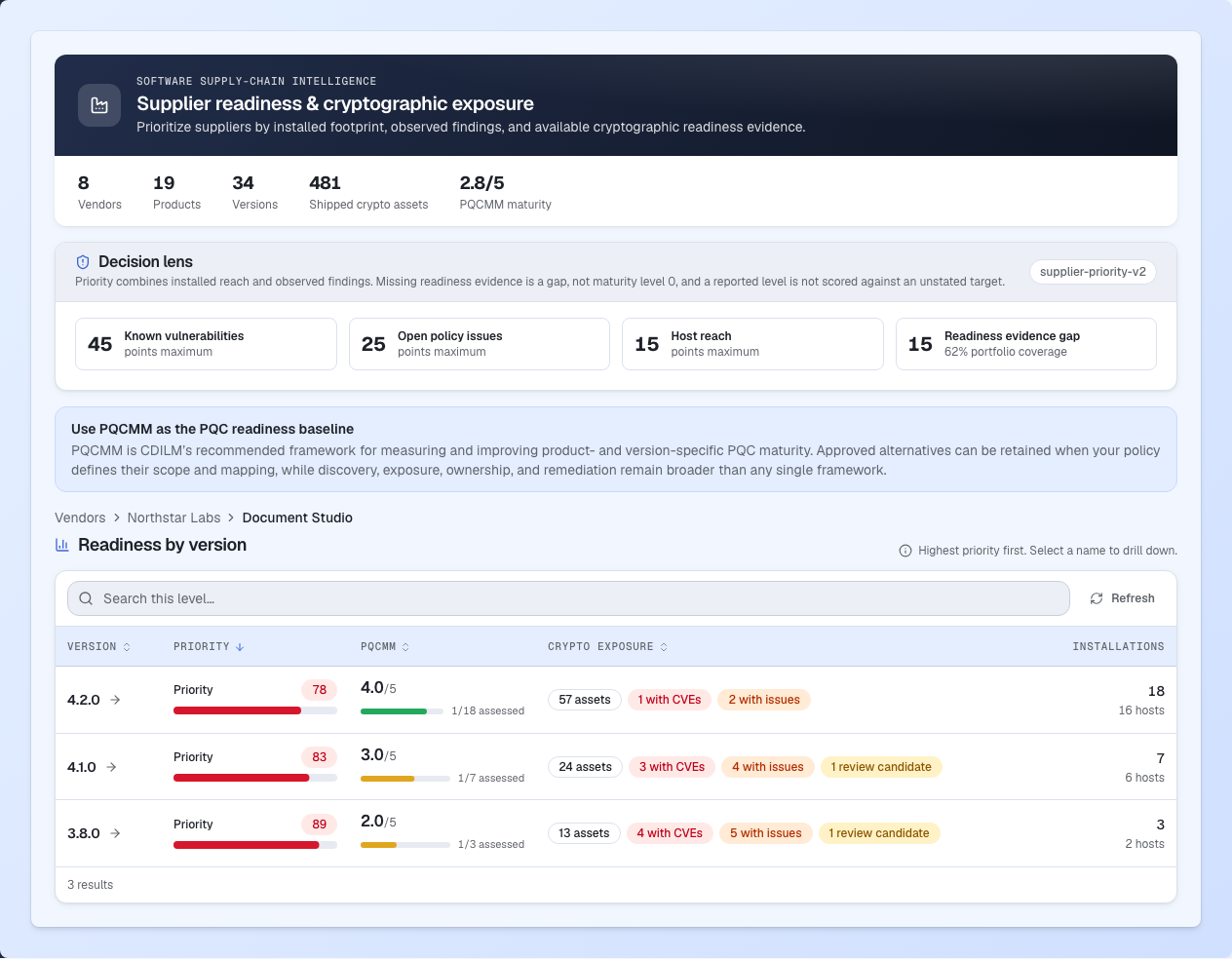
Cryptoramic matches available PKI Consortium PQC Maturity Model (PQCMM) reports to identified products and versions. Its supplier view brings reported maturity together with installations, observed cryptographic exposure and policy findings, and makes missing matching evidence visible.
That gives your team and your consultants a shared starting point: which suppliers and products need attention, where assessments are available, and where further evidence is needed. PQCMM provides the maturity framework; Cryptoramic connects it to the software you depend on and supports follow-up through its reports and action plan.
Turn the findings into a supplier conversation
Cryptoramic brings the inventory and matched assessment evidence together. These questions help resolve the gaps and migration decisions that still need a supplier’s answer.
- Can you provide an assessment for the products still marked Unreported? Use the gaps Cryptoramic identifies to request evidence for the relevant product, version and use.
- What changes will we need to make? Ask whether quantum-safe operation requires a setting, a software update, replacement hardware or changes to connected systems.
- How can we migrate while maintaining interoperability? Ask how updated systems will work with peers that have not yet migrated, and what testing is needed.
- Which dependencies affect your migration plan? Identify libraries, components and other suppliers that the product depends on, and who is responsible for updates.
- What is available today, and what is still planned? Ask which capabilities and interfaces are covered, along with target dates, prerequisites and unresolved dependencies.
- Who assessed the product, and how current is the evidence? Review the stated assurance, assessment date and any validity period. Check what was assessed and whether it applies to your deployment.
When the answer is missing
“Unreported” means that no matching maturity report is available in the inventory. It does not establish that the product lacks post-quantum capabilities or that the supplier has never published an assessment.
Use that gap to guide your next conversation. Share the product, version and relevant use with the supplier, and request an applicable assessment or clarification of its roadmap. Record what remains unknown so it can be followed up during migration planning.
How Cryptoramic supports this
Cryptoramic retains the report’s assessed subject, publisher, source, dates and stated assurance. Matching connects available assessments to the inventory, while its reporting supports evidence requests, assurance reviews and migration priorities. Your team decides the requirements, accepts or challenges the evidence, and agrees the next steps with suppliers.
Importing a report does not independently verify its claims. A maturity level does not establish that a deployment is secure. Together, the report and scan findings help you identify where more evidence or action is needed.
Explore supplier readiness, or read how observed and declared cryptographic information support migration planning.
Frequently asked questions
What is the PQC Maturity Model?
The PKI Consortium’s PQC Maturity Model, or PQCMM, helps suppliers report how ready their products are for post-quantum cryptography. It uses six levels, from 0 to 5. Each report identifies what was assessed, its version, the date and who performed the assessment.
Does a supplier's general PQC roadmap prove my deployment is covered?
No. Ask about the exact product version and configuration you use. Find out whether it needs a settings change, an update or replacement, and what is available today. A company-wide roadmap does not answer those questions.
What does "unreported" mean in a supplier readiness view?
No matching report was found for the product and version. It does not mean the product failed an assessment. Ask the supplier for a report covering what you use.
Who verifies a supplier's PQCMM report?
Check who performed the assessment named in the report. It may be the supplier itself or an independent assessor. Importing the report into Cryptoramic does not independently verify its claims.